Data Freshness & Reporting Update Schedule

Understanding when your reporting data is refreshed helps you plan when to pull reports for your organization.

How reporting data is updated

Most Group Hub reporting data is refreshed once every 24 hours, including weekends and holidays. The data pipeline processes your group daily, and the time it takes to complete varies depending on the size and complexity of each group.

Some sections — such as the Members list, Teams and Leaderboard— update in real time and do not depend on the daily pipeline.

Key details

Detail
Value

Update frequency

Every 24 hours for most reporting data

Pipeline window

Starts approximately 6:00 AM UTC daily

Typical completion

Most groups are updated by 4:00 PM UTC

Weekends & holidays

The pipeline runs every day, no exceptions

What this means for you

Data reflects the most recent pipeline run. When you access reporting, the data includes activity up to the last completed pipeline run. If the pipeline has not yet completed for the current day, you may be looking at data from the previous run.

Completion times vary by group. Larger groups with more members and activity may take longer to process. There is no fixed time that applies to all groups.

Best practice for pulling reports

If you share reports with leadership or stakeholders on a regular schedule, we recommend pulling your reports after 4:00 PM UTC to ensure the most recent daily pipeline run has completed for your group.

circle-info

Example: If a learner completes a course on Tuesday evening, that completion will appear in your Group Hub reporting after the pipeline completes on Wednesday.

How to check when your data was last updated

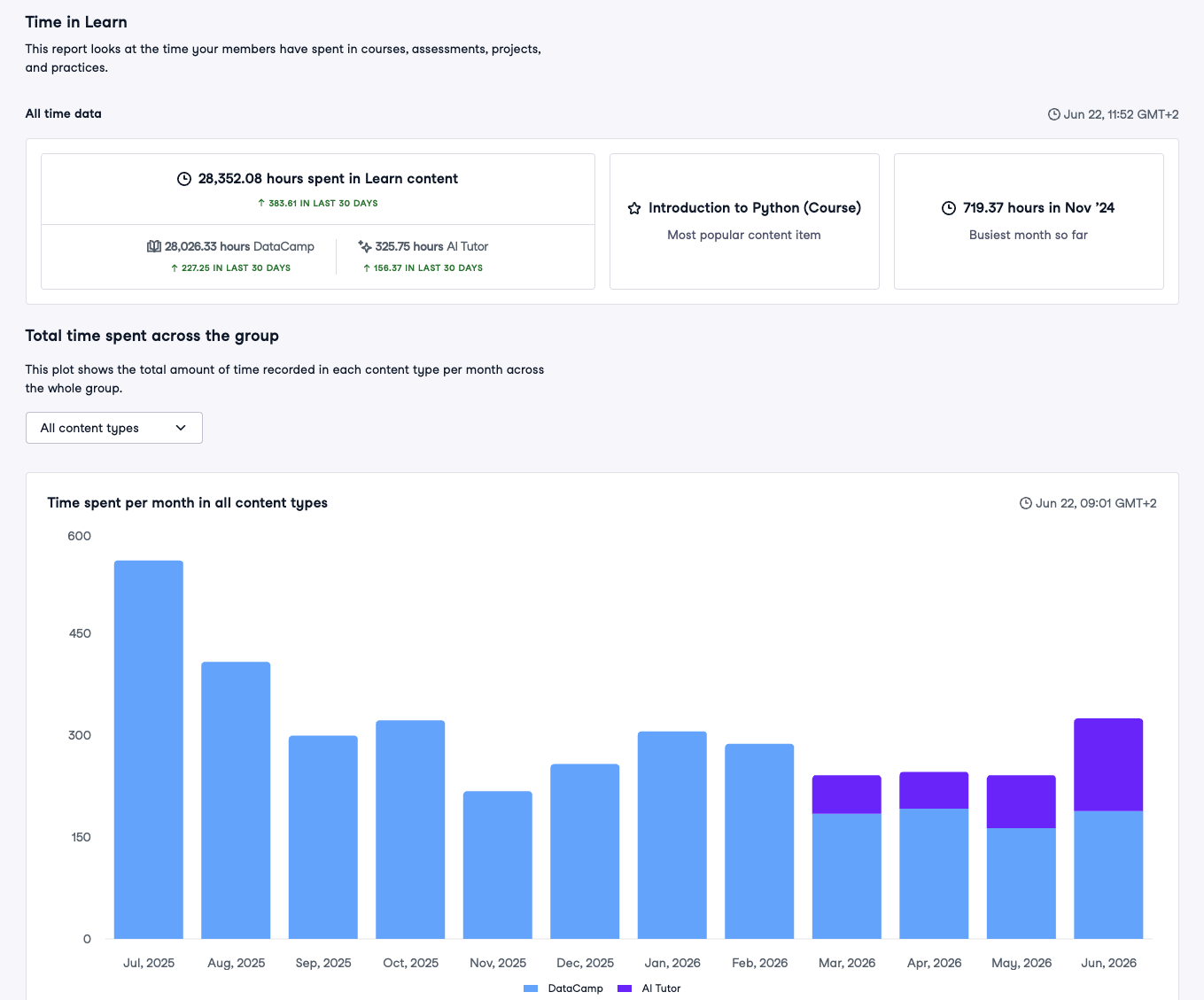
Many reporting sections in Group Hub display a "Data last updated at" timestamp. You can find below the main title or by hovering over the info icon (i) near the export name. For example:

The timestamp is displayed in your local timezone.

Use the timestamp to

  • Confirm your data is current before sharing a report with stakeholders.

  • Understand gaps — if the timestamp shows yesterday's date, the current day's pipeline run has not yet completed for that section.

  • Troubleshoot — if the timestamp is more than 48 hours old, contact your CSM or open a support ticket with your group ID.

Why different sections may show different times

Each report and chart in Group Hub is backed by its own data source. During the daily pipeline run, these tables are processed and updated at different stages. This means:

  • One section (e.g., Progress) may show a more recent timestamp than another (e.g., Time in Learn) on the same day.

  • This is normal and expected — it simply reflects the order in which the pipeline processes the data.

  • If a section does not display a "Data last updated at" timestamp, it means that section updates in real time.

Real-time vs. daily data

Not all data in Group Hub follows the same refresh schedule.

Sections that update in real time do not depend on the daily pipeline. Changes are reflected immediately. These sections do not show a "Data last updated at" timestamp. Examples include:

  • Members — adding or removing members is reflected instantly.

  • Teams — team creation, updates, and membership changes appear immediately.

  • Assignments — creating, editing, and tracking assignment status (assigned, started, completed) is reflected immediately.

  • Custom Tracks — creating, editing, and publishing custom tracks is reflected immediately.

  • Leaderboard — XP rankings and learner positions update as members earn XP.

All other sections — including Dashboard, Progress, Adoption, Engagement, Content Insights, Assessments, Certifications, Time in Learn, DataLab, and Exports — are refreshed as part of the daily pipeline and display a "Data last updated at" timestamp.

About exports

When you download an export (CSV) from the Export section, the data in the file reflects the state of the underlying data table at the time you generate the export:

  • For pipeline-based exports (Summary, Time in Learn, Certification, Course, Track, Project, Skill Assessment, Content Catalog), the data reflects the most recent completed pipeline run for that table. Different exports may reflect different pipeline stages, so timestamps can vary.

  • For real-time exports (Members, Team History, License History), the data reflects the current state at the moment you generate the file.

Exports may take a few moments to process depending on the size of your organization. You will receive an email notification when your export is ready. Export files are available for download for 30 days.

circle-info

Tip: A newly added member will immediately appear in the Members export, but their learning activity will only appear in other exports (e.g., Summary, Course) after the next pipeline run.

Last updated