For the complete documentation index, see llms.txt. This page is also available as Markdown.

New Skill Matrix

Coming Soon: The redesigned Skill Matrix experience described in this guide is currently rolling out across enterprise organizations. Admins will automatically gain access as the rollout reaches their organization.

The Skill Matrix provides a comprehensive view of your organization's capability across Technologies and Topics. By evaluating both daily hands-on practice and formal skill assessments, it gives admins, managers, and team leaders an objective pulse on workforce capabilities to celebrate team strengths, track growth over time, and assign targeted learning paths.

The Skill Matrix consists of two primary views:

  • Overview: Executive-level summary featuring proficiency trends over time, radar comparisons, platform benchmarks, and highlighted strengths and growth areas.

  • Technologies & Topics: The detailed reporting grid displaying scores, learner counts, and sub-skill breakdowns across topic and technology combinations.


Overview

The Overview tab provides an executive summary of your organization's skill profile, helping you understand overall capability and monitor development trajectory.

Skill Matrix Overview - Featured Technologies
Overview Tab: Header, view selector, comparison filter, and featured skill cards.
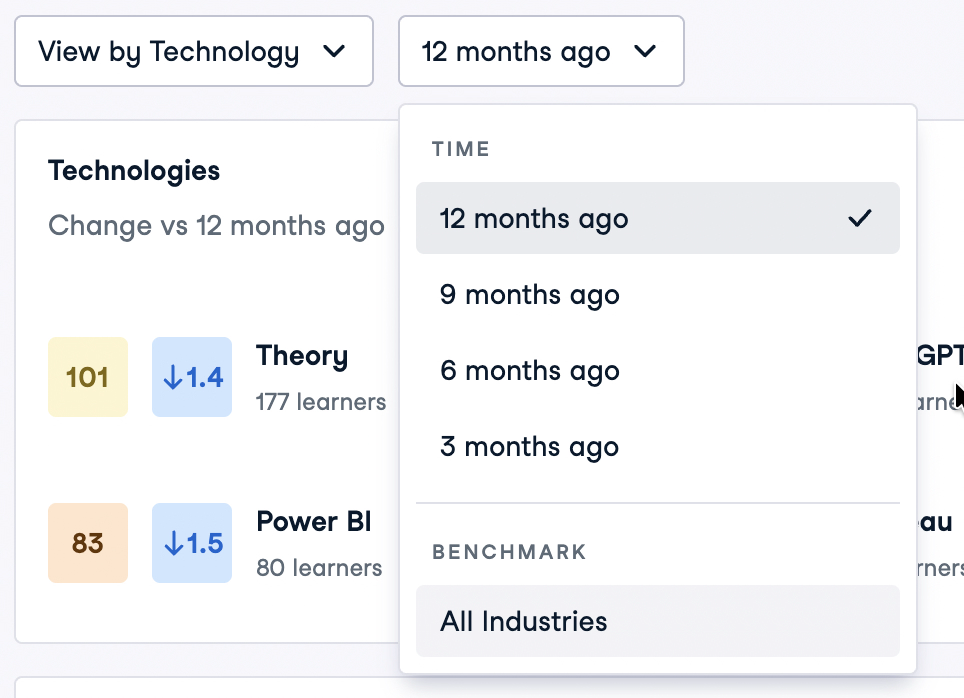
  • Customizable Skill Selection: Displays up to eight featured technologies or topics. Click Edit Technologies (or Edit Topics) to customize which skills are featured.

  • Proficiency & Deltas: Each card displays the current average proficiency score, score delta against the chosen comparison, and the number of active learners evaluated in that skill.


Comparing Progress: Time vs. Benchmarks

The comparison dropdown in the top controls bar allows you to evaluate your organization from two distinct perspectives: historical progression over time, or comparative standing against external benchmarks.

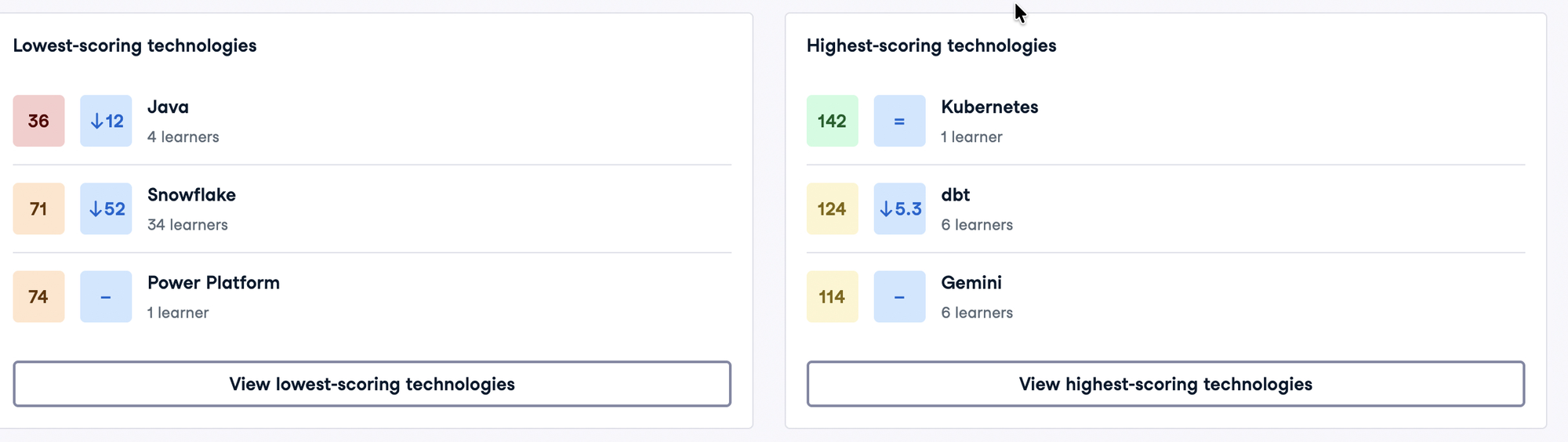
Skill Matrix Comparison Filter Menu
Comparison Selector: Switch between historical snapshot periods and platform benchmarks.

1. Progress Over Time (Historical Snapshots)

Selecting an option under TIME evaluates current proficiency against historical snapshots:

  • 3 months ago: Quarterly short-term learning velocity.

  • 6 months ago: Mid-year capability progression.

  • 9 months ago: Three-quarter milestone comparison.

  • 12 months ago: Year-over-year transformation and upskilling ROI.

2. Platform Benchmarks

Selecting an option under BENCHMARK compares your organization's proficiency against external standards:

  • All Industries: Evaluates team scores against global learner distributions across all organizations on DataCamp.


Dynamic Visualizations: Line Chart vs. Radar Chart

The main chart on the Overview tab automatically adapts depending on whether you are comparing across Time or against Benchmarks:

1. Trend Over Time: Multi-Line Progression Chart

When any historical time window (e.g., 12 months ago) is selected, the chart displays Proficiency over the last 12 months:

Skill Matrix 12-Month Proficiency Progression Line Chart
Proficiency Progression: Track rolling 12-month trajectory with per-skill line filter chips.
  • Skill Filter Chips: Click individual skill chips (such as Python, SQL, or R) to show or hide their lines on the chart. Use Select all / Clear all to quickly focus on specific skills.

  • Rolling Snapshots: Data points trace rolling quarterly milestones (12 mo ago, 9 mo ago, 6 mo ago, 3 mo ago, Now).

  • End-of-Line Badges: Each active line displays its current label and total net point delta across the selected window.

2. Benchmark Comparison: Interactive Radar Chart

When a benchmark option (e.g., All Industries) is selected, the chart automatically switches to the Technology Proficiency Radar Chart:

Skill Matrix Organization vs All Industries Radar Chart
Benchmark Radar: Compare your organization against platform-wide distributions.
  • Dual Polygon Comparison: The outer and inner shapes visually contrast your organization's average scores against the benchmark standard across all featured skills.

  • Gap Indicators: Beside each skill axis, a delta badge displays the exact point difference between your organization and the benchmark (e.g., +3.7 or -18).

  • Interactive Navigation: Use the zoom (+ / -) and re-center controls on the right side of the canvas to inspect dense radar axes.


Capability Highlights

The bottom section of the Overview tab automatically identifies focal points across your organization:

Skill Matrix Lowest and Highest Scoring Technologies
Capability Highlights: Surface emerging growth areas and established organizational strengths.
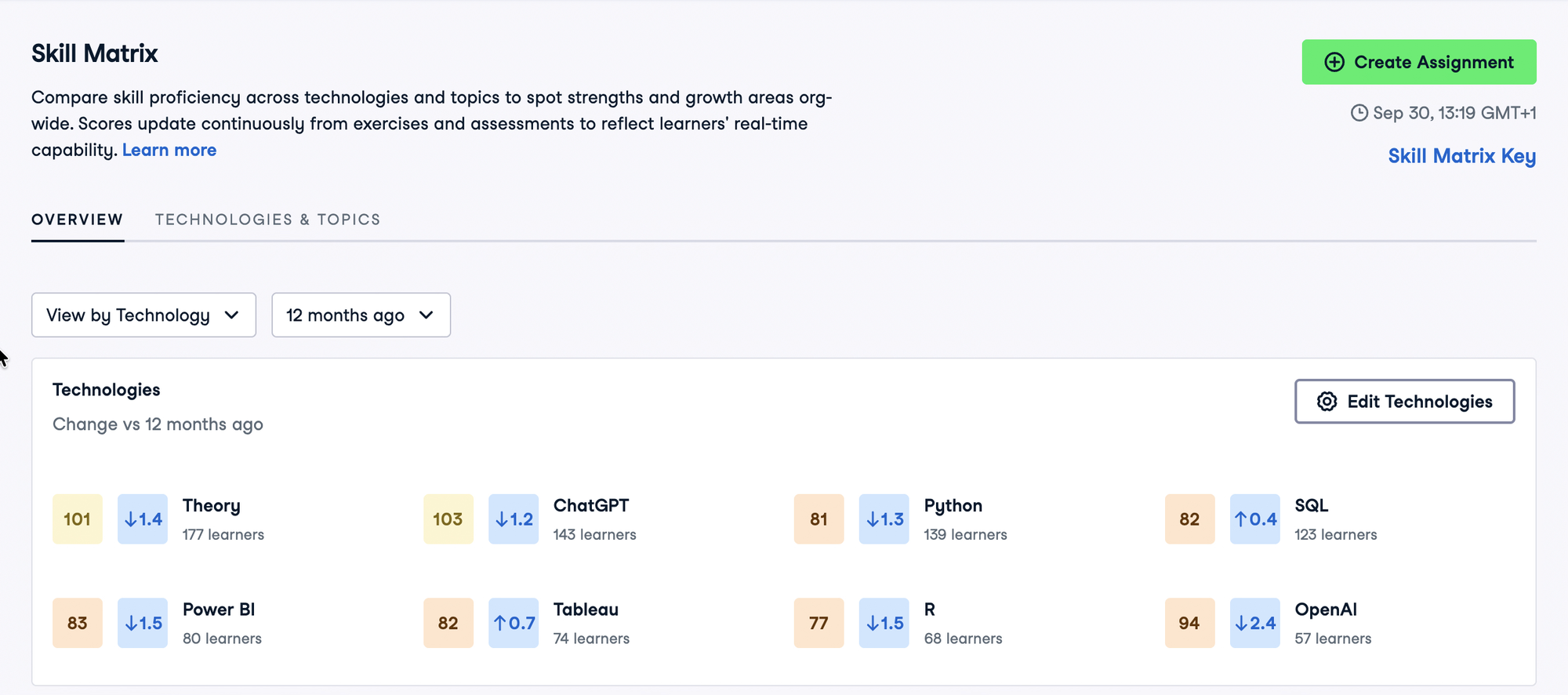
  • Growth Opportunities (Lowest-scoring): Identifies areas with developing capability that will benefit most from structured learning programs and assignments.

  • Established Capabilities (Highest-scoring): Showcases your organization's strongest technical competencies across evaluated learners.

  • Click View lowest-scoring or View highest-scoring to expand the list and see full rankings.


Technologies & Topics

The Technologies & Topics tab displays the complete, interactive skill inventory for your organization.

Skill Matrix Technologies and Topics Grid
Technologies & Topics Grid: Collapsed parent rows and expanded Topic × Technology sub-skill cards.

Choosing Your Perspective

Use the view dropdown to structure the matrix by your preferred orientation:

  • View by Technology: Organizes rows by language or platform (such as Python, SQL, Power BI, or Tableau). Each row shows the specific topics practiced within that tool.

  • View by Topic: Organizes rows by functional discipline (such as Data Manipulation, Machine Learning, or Applied Finance). Each row shows the specific technologies applied within that discipline.

Reading the Matrix

  • Row Scores & Trends: Displays the overall proficiency score for that technology or topic alongside an indicator showing score progression compared to the selected time or benchmark snapshot.

  • Active Learner Counts: Shows the total number of distinct active team members evaluated in that area.

  • Sub-Skill Cards: Expand any row to inspect individual Topic × Technology pairings (e.g., Python × Applied Finance or SQL × Data Engineering). Skill areas with no learner activity are omitted to keep the view focused and actionable.

  • Weighted Rollups: Summary row scores are weighted by the number of learners active in each sub-skill, ensuring that areas with high adoption accurately reflect organizational capability.


How Scores and Learner Counts are Calculated

To ensure organizational reporting is both accurate and reflective of actual team involvement, the Skill Matrix uses structured aggregation rules:

Collapsed Row Scores (Learner-Weighted Average)

The top-level score for a collapsed Technology or Topic row is a learner-count-weighted average of all active sub-skills in that category, rather than a simple unweighted arithmetic mean.

This means that sub-skills practiced by a large number of learners have a proportionally higher impact on the overall technology score than niche sub-skills practiced by only a few. Unpopulated skill pairings with zero active learners are omitted entirely from the calculation so unpracticed domains do not artificially depress scores.

Distinct Active Learner Counts

  • Active Group Roster: Learner counts and scores only include currently active members in your enterprise group. Former members who have been removed from the organization are automatically excluded.

  • Deduplicated Counts: On parent category rows (such as Python), the learner count represents distinct individual learners. If an employee has practiced both Data Manipulation and Machine Learning in Python, they are counted once in the Python parent row.


Proficiency Bands & Score Legend

All Skill Matrix scores are standardized on DataCamp's 0–200 proficiency scale:

Score Range
Proficiency Level
Capability Description

0 – 69

Novice

Developing foundational awareness and basic concepts.

70 – 100

Lower Intermediate

Able to solve straightforward tasks with standard workflows.

101 – 130

Upper Intermediate

Confident practitioner capable of applying tools independently.

131 – 160

Lower Advanced

Deep practical expertise across complex problems and workflows.

161 – 200

Upper Advanced

Mastery of advanced concepts, system design, and optimization.

—

No Score

Learner activity is currently below the publication threshold.

  • Click Skill Matrix Key in the top right corner of the report at any time to reference the proficiency scale.

  • Create Assignment: Click Create Assignment directly from the Skill Matrix to launch targeted learning tracks or skill assessments for specific areas.


How It Works: Objective, Continuous Scoring

The Skill Matrix moves beyond simple course completion percentages to measure genuine technical capability:

1. Dual-Source Evidence (Learning is Assessment)

Proficiency is continuously evaluated from two sources:

  • Hands-On Exercises: Completed interactive coding challenges from standard courses and AI Tutor practice sessions.

  • Skill Assessments: Formal, adaptive benchmark assessments.

When a learner completes both, their formal assessment score provides validated confirmation, while day-to-day exercises maintain continuous, fresh evidence.

2. The Assistance-Free Standard

Completing an exercise independently demonstrates higher mastery than completing it with guidance:

  • Independent First Attempt: Solving a challenge correctly on the first try with no hints or solutions requested indicates established proficiency.

  • Assisted Completions: Using hints, viewing solutions, or requiring multiple attempts demonstrates active skill acquisition.

3. Calibrated Difficulty

Not all exercises are of equal difficulty. Every exercise has a statistically calibrated difficulty rating determined from millions of anonymized attempts across global learners. Once calibrated, each difficulty is permanently anchored. This ensures the measuring ruler never moves: an intermediate score today means the exact same level of capability twelve months from now.

4. Chapter Publication Threshold

To prevent accidental clicks or a learner trying a single exercise from skewing team averages, a learner's activity in a given Topic × Technology domain is only published once they complete at least one full chapter in that domain.

  • Active Team Roster: The Skill Matrix reflects only currently active members of your organization.

  • Whole-Team Averages & New Learners: When new team members begin learning a new technology, they enter at foundational levels. As your learning program expands to include more beginners, team averages may temporarily stabilize even as continuing learners advance. To observe individual growth, reference the historical progression charts and learner counts.

Last updated