> For the complete documentation index, see [llms.txt](https://enterprise-docs.datacamp.com/llms.txt). Markdown versions of documentation pages are available by appending `.md` to page URLs; this page is available as [Markdown](https://enterprise-docs.datacamp.com/optimizing-key-performance-indicators-via-the-groups-tab/reporting-section/datalab.md).
# DataLab
This page includes detailed information on your organization's users' DataLab activity.
It includes the number of users who have spent time in DataLab, the total time spent in DataLab, and the number of workbooks created.
* Below is a brief description of each metric shown:
* [Activity Ribbon](#activity-ribbon)
* [Number of users who used DataLab](#number-of-users-who-have-used-datalab)
* [Total time spent in DataLab](#total-time-spent-in-datalab)
### Activity Ribbon
* Provides a quick summary of your organization's users' activity in DataLab.
* Users who have used DataLab - The total number of unique users who have edited or viewed at least one DataLab workbook (all-time and how many more in the last 30 days).
* Time spent in DataLab - The total hours spent editing or viewing DataLab workbooks (all-time and in the last 30 days).
* Number of workbooks created - The total number of DataLab workbooks created by your organization's users (all-time and in the last 30 days).
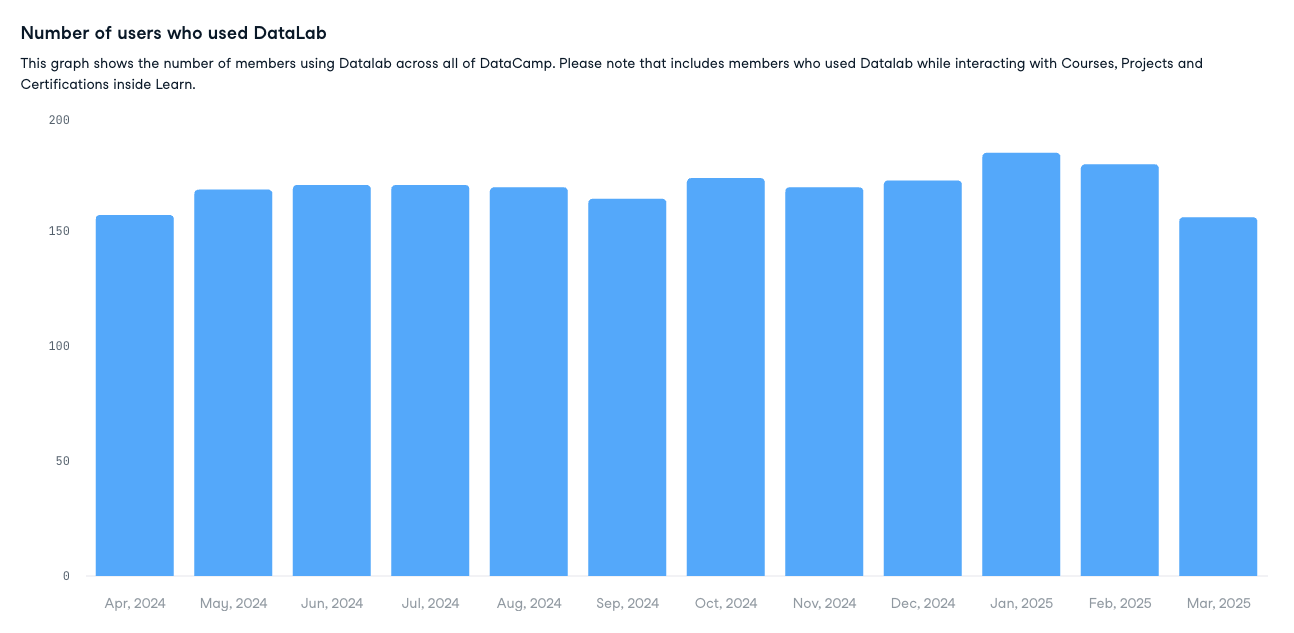
### Number of users who have used DataLab
* The chart shows the number of users who have edited or viewed a DataLab workbook per month over the last year.
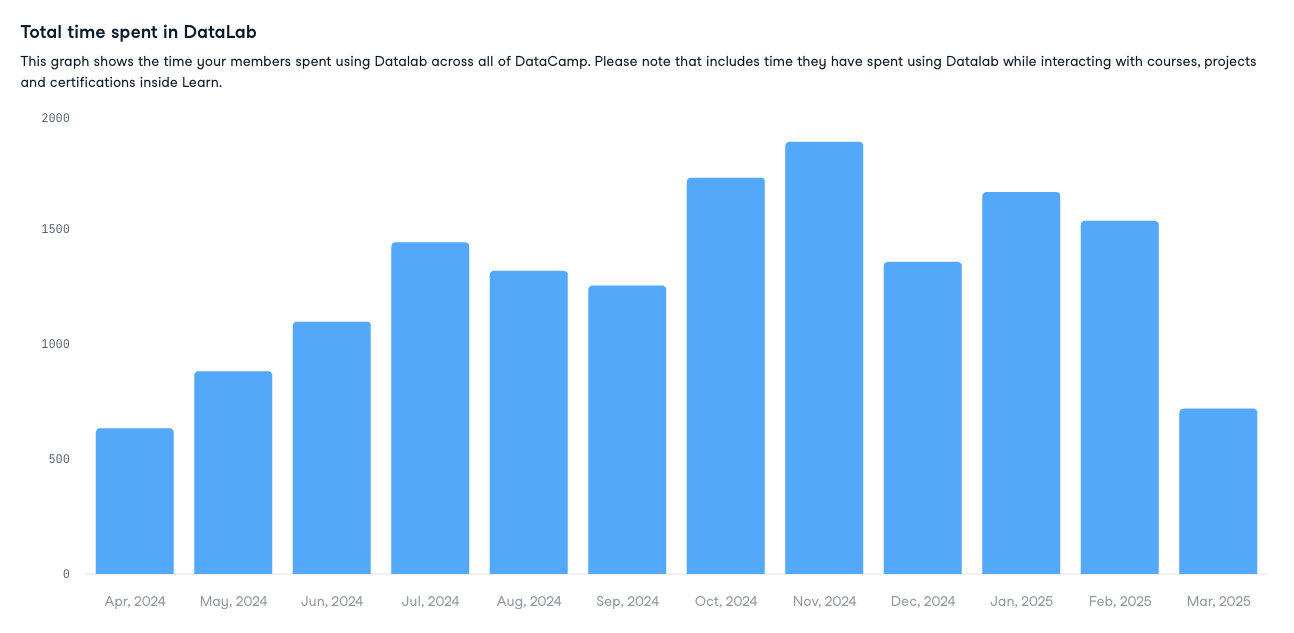
### Total time spent in DataLab
* The chart shows the hours spent editing or viewing DataLab workbooks per month over the last year.